

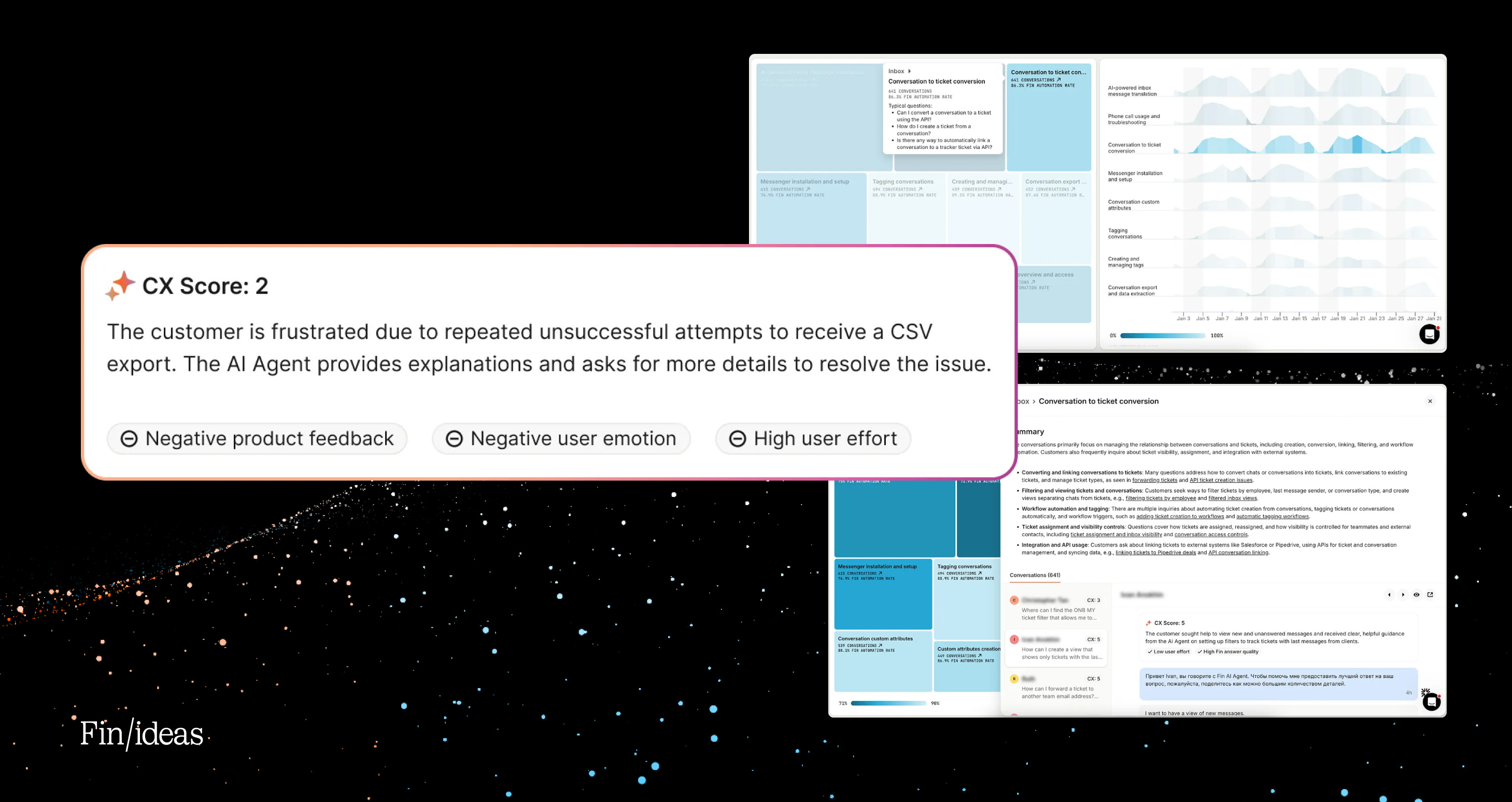
AI unlocks scale, speed, and capability in ways we’ve never had before. But as it does this, it takes away things customers are used to having: control, transparency, and confidence in their own intuition.
That’s where product becomes essential.
When AI reduces transparency, we have to add clarity and evaluation.
When AI reduces control, we have to design new, manageable workflows.
When AI reduces explainability, we have to restore meaning and understanding.
AI gives us the capability, it’s up to the product to give people the confidence to use it.
Let me explain:
As a customer service Agent, the greatest measure of Fin’s success is resolution rate. Over the last three years, our customers have seen it steadily increase from less than 25% to an average of 76%.
The secret to this success: Collaboration.
Fin can learn a lot from your internal documentation or past conversations but it really thrives when it receives feedback. This was the motivation behind the Fin Flywheel: Train, Test, Deploy, Analyze — repeat. It’s an iterative system that allows users to work with and improve Fin.
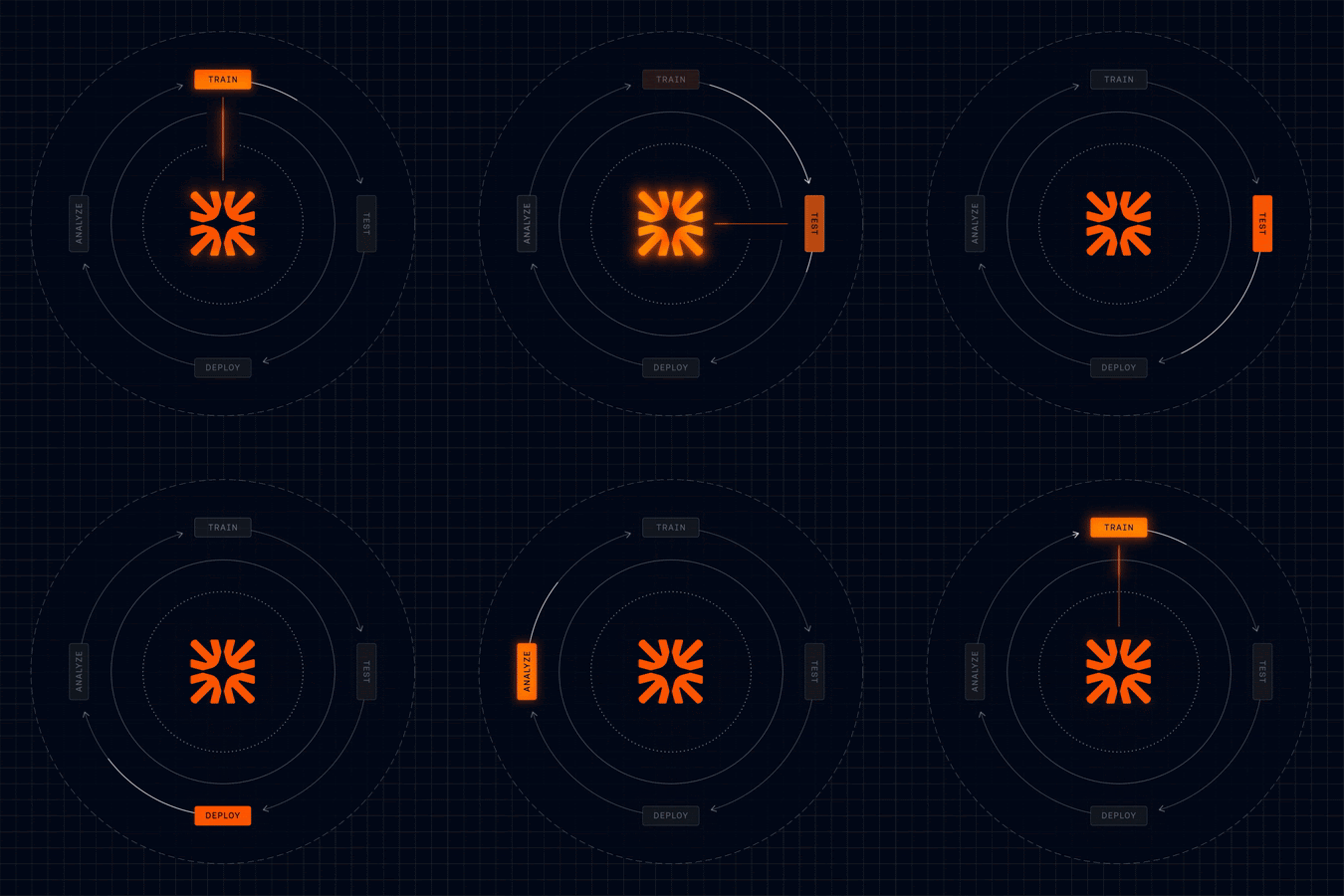
Once Fin is trained, tested, deployed, and real conversations start flowing through the system, customers naturally want to understand what’s happening:
How is this performing?
Where are the gaps?
What should we improve next?
The answers to these lie within Insights — in the Analyze phase — where AI allows us to leverage enormous amounts of data. It lets us measure performance, spot patterns, and recommend opportunities with unparalleled depth and scale. Instead of sampling conversations or relying on anecdata, we can analyze everything.
But as we built features like CX Score, Optimize, Suggestions, and Topics — we kept running into the same realization:
Generating insights at scale came naturally with AI. Turning them into something customers could trust, understand, and act on was harder.
Each of these features taught us something different about what that actually takes.
Lesson 1: In AI products, the work that matters most is often invisible
CX Score
CSAT has been the north star for support teams for years, but it’s deeply flawed. It relies on customers filling out a survey at the end of a conversation, which gives you very limited coverage and can lead to bias.
Fortunately, AI is well-suited to solve this problem. So, we set out to build the superior customer satisfaction metric: the CX Score.
Surprisingly, it was easy to get started.
We could take thousands — even millions — of conversations and generate a 1–5 score with some rationale behind it. Our early alpha did exactly that. If you eyeballed the output, it didn’t look all that bad. A conversation would get a score of a 4, with a short explanation, and you’d think, yeah, that kind of checks out.

But the moment customers started interrogating the data, things got uncomfortable.
Can I actually trust this?
Does it work equally well across different types of conversations?
How does it handle nuance?
What’s really driving these scores?
The early outputs weren’t obviously wrong.
The challenge was that no one could be sure they were right — at scale.
And because this was going to roll up into a KPI — something teams would report on to leadership and make decisions with — that uncertainty mattered.
This is where we learned something counterintuitive: Most of the work required to make CX Score high-quality and trustworthy didn’t show up in the product experience at all.
We went down a multi-month path of evaluation and iteration. We worked closely with support leaders across industries to define what a good and poor experience actually looks like in practice. We wrote plain-English rules for each driver of customer experience — what counts, what doesn’t, where the edge cases are — and validated those definitions across customers to avoid bias.
We built a large, diverse, human-reviewed dataset of real conversations, labeled by experienced support professionals. That became our reference point. From there, we added statistical rigor, designed a production-grade evaluation pipeline, tested how different setups behaved on nuance and edge cases, and tuned the system to default to neutral when the signal wasn’t strong enough.
At one point, we even threw out an entire CX Score reason because we couldn’t get it to meet the bar — no matter how much refinement we tried.
What’s interesting is that, on the surface, the product UX didn’t really change that much.
It’s still a 1–5 score. There’s still rationale. You can still roll it up into a metric.
The biggest visible change was adding clearer reasons alongside the score. Just these little pills attached to every score.
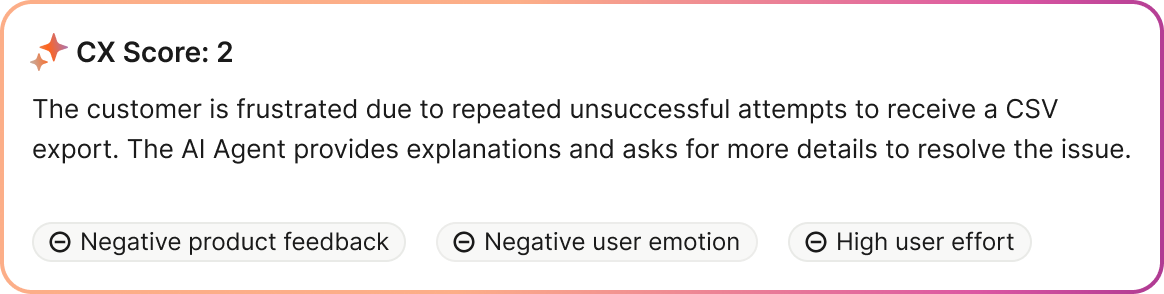
Almost all of the real work lived underneath.
This was the first big shift for me as a PM building AI products: You can make enormous progress without shipping anything that looks new.
Quality — and trust — are often built where users can’t see it.
This is one of the reasons education in the AI age is so important. We want users to have confidence in the rigour that lies beneath the clean interface. From product demos to blogs and research papers, being transparent about how features were developed assures customers and helps them embrace evolving tech.
Lesson 2: You might be solving old problems, but you’re designing new workflows
Optimize and Suggestions
The second lesson showed up in Suggestions, and their home, Optimize.
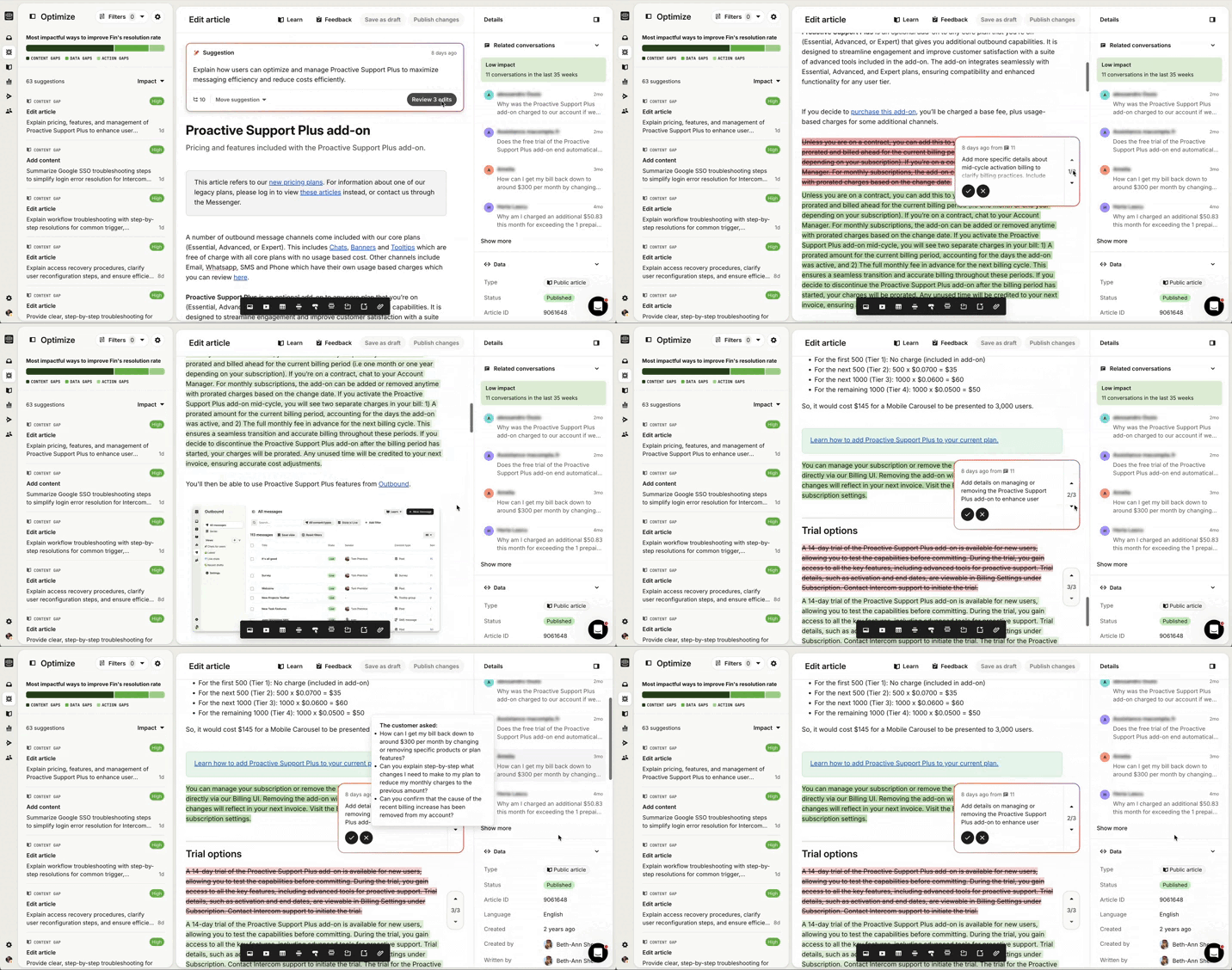
Managing and improving their knowledge bases has always been a problem our customers care about. Before AI, it was manual and tedious. You’d review unanswered questions, look for patterns, and slowly update content. Meanwhile, your product or service was constantly changing, and your content needed to, too.
With AI, we could do something much more powerful.
We could look at questions Fin couldn’t answer, see how human agents handled them, identify missing knowledge, and proactively suggest what to add or edit. On the surface, this felt like a killer feature.
But what we hadn’t anticipated was this: Customers had no existing workflow for taking action on a Suggestion.
The problem was familiar.
The solution was not.
AI generated opportunities — but the product had to generate the workflow around them.
Without that workflow, the output became noise.
We tried a lot of things. Different layouts. More data. More context. There’s a version we shipped that, looking at it now, I absolutely cringe.
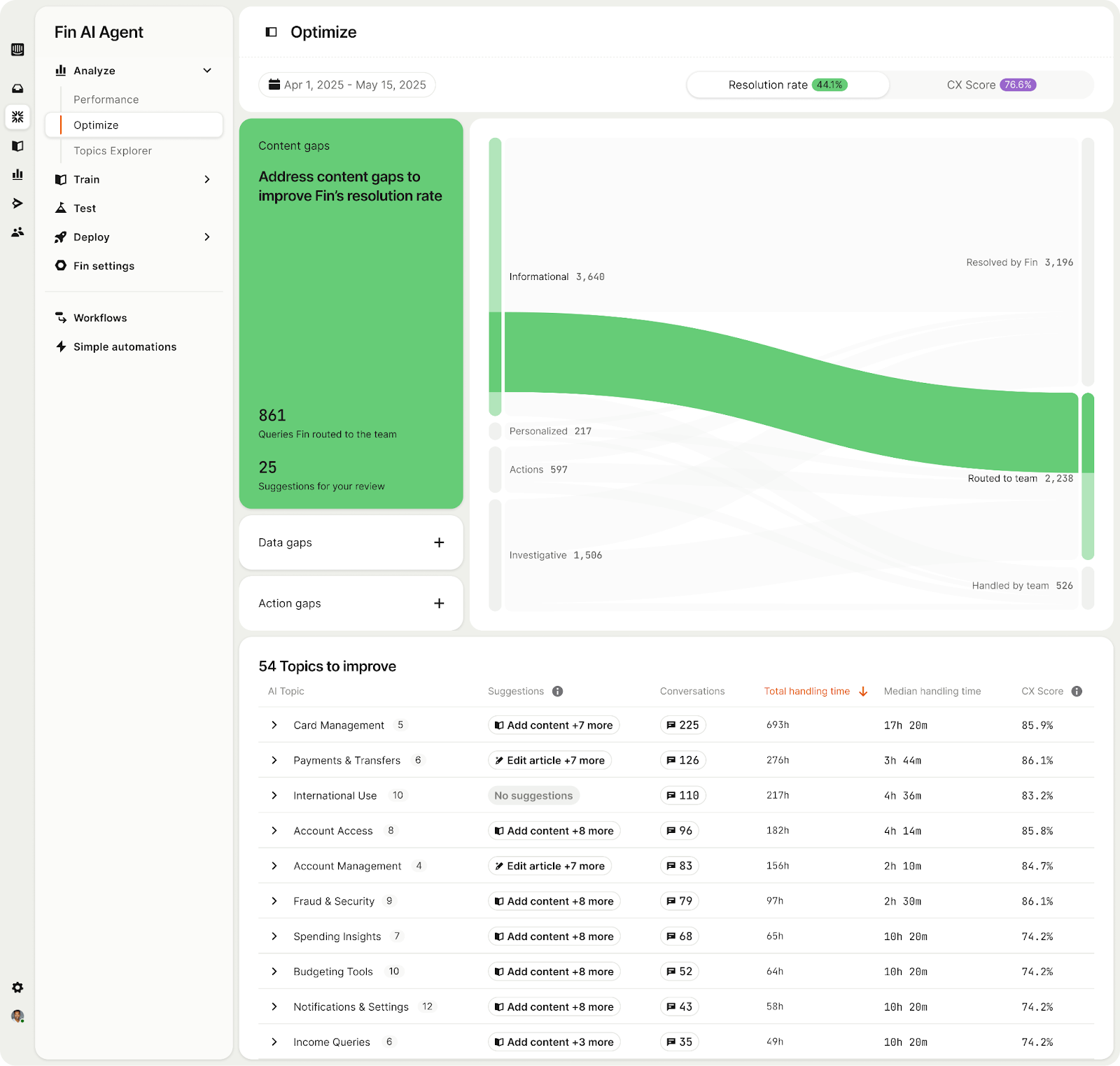
Customers would log in, see a table full of non-obvious opportunities, some data that attempted to give them context, feel overwhelmed, fix one thing, and then forget the feature existed. It was treated as a nice-to-have, not a core operating ritual.
The turning point came when we really sat down and observed how this work could actually happen — working directly with our own knowledge managers at Intercom (shoutout to Beth-Ann and Dawn!).
What we realized was that this needed to feel like a real workflow.
That meant a few things.
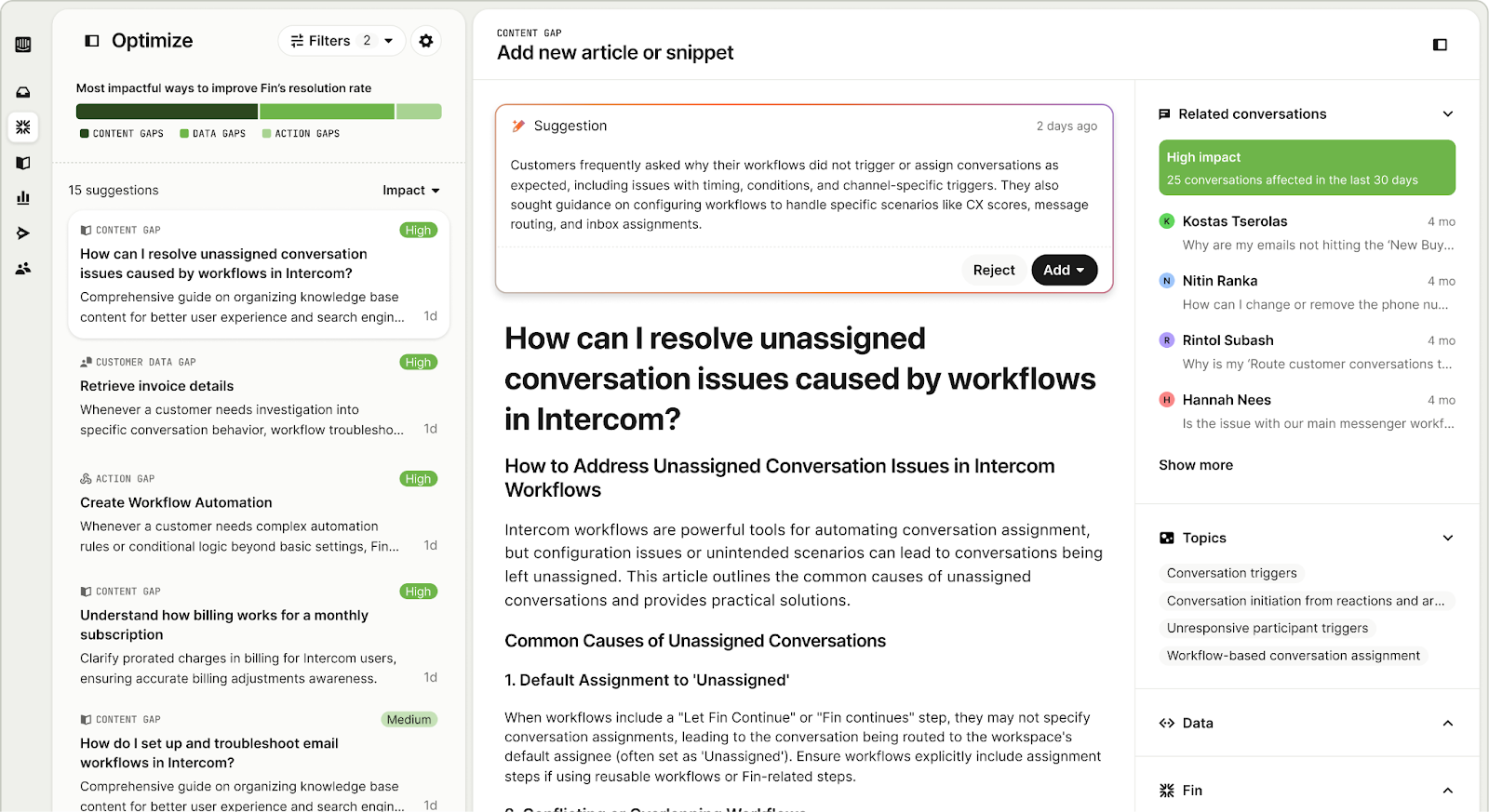
First: Prioritization. Not all Suggestions are equal. We had to help teams understand which Suggestions mattered most and quantify the impact of taking action.
Second: Safe review and validation. We needed to show evidence (the actual conversations behind a Suggestion) and make it easy to sanity-check, say yes or no, or edit rather than blindly accept.
What we’ve shipped now feels fundamentally different. It’s an inbox you can work through. You can interact with Suggestions, edit them directly, see context, and make informed decisions.
By designing a workflow, we gave clarity and utility.
Lesson 3: Accuracy isn’t enough — understanding is the product
Topics
The third lesson came from Topics.
Classifying conversations into topics has been a need since Intercom’s early days. Historically, the solutions were brittle: manual tagging, keyword-based systems, constant upkeep. They never really scaled.
AI unlocked something new here too — nuanced classification at scale that also adapts as conversations change.
And technically, Topics worked. Conversations clustered well. Capability wasn’t the issue.
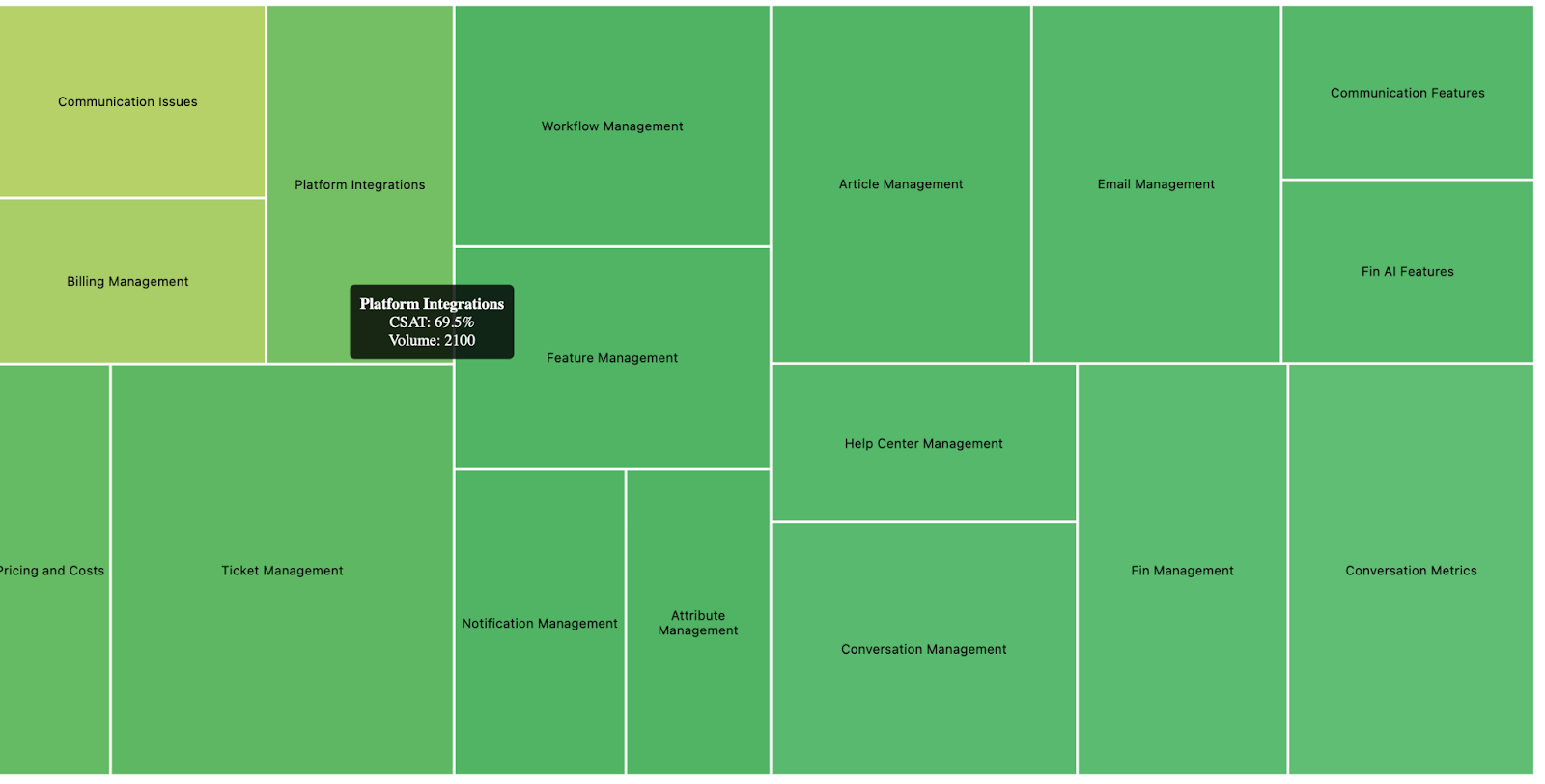
The issue was that alpha customers didn’t understand what they were looking at in early prototypes.
Why are these grouped together?
What does this label actually mean?
What belongs here — and what doesn’t?
How much should I trust this?
Even when the grouping was correct, the reasoning was invisible. The system had made a leap that the human couldn’t see.
Labels didn’t help enough either. “Account issues” — is that billing? login? something else? “Checkout problems” — is that a bug, confusion, friction?
Without boundaries and context, people couldn’t evaluate whether the grouping was right. And when trust is low, people don’t act.
So the product had to step in.
We added representative examples so people could *see* the pattern.
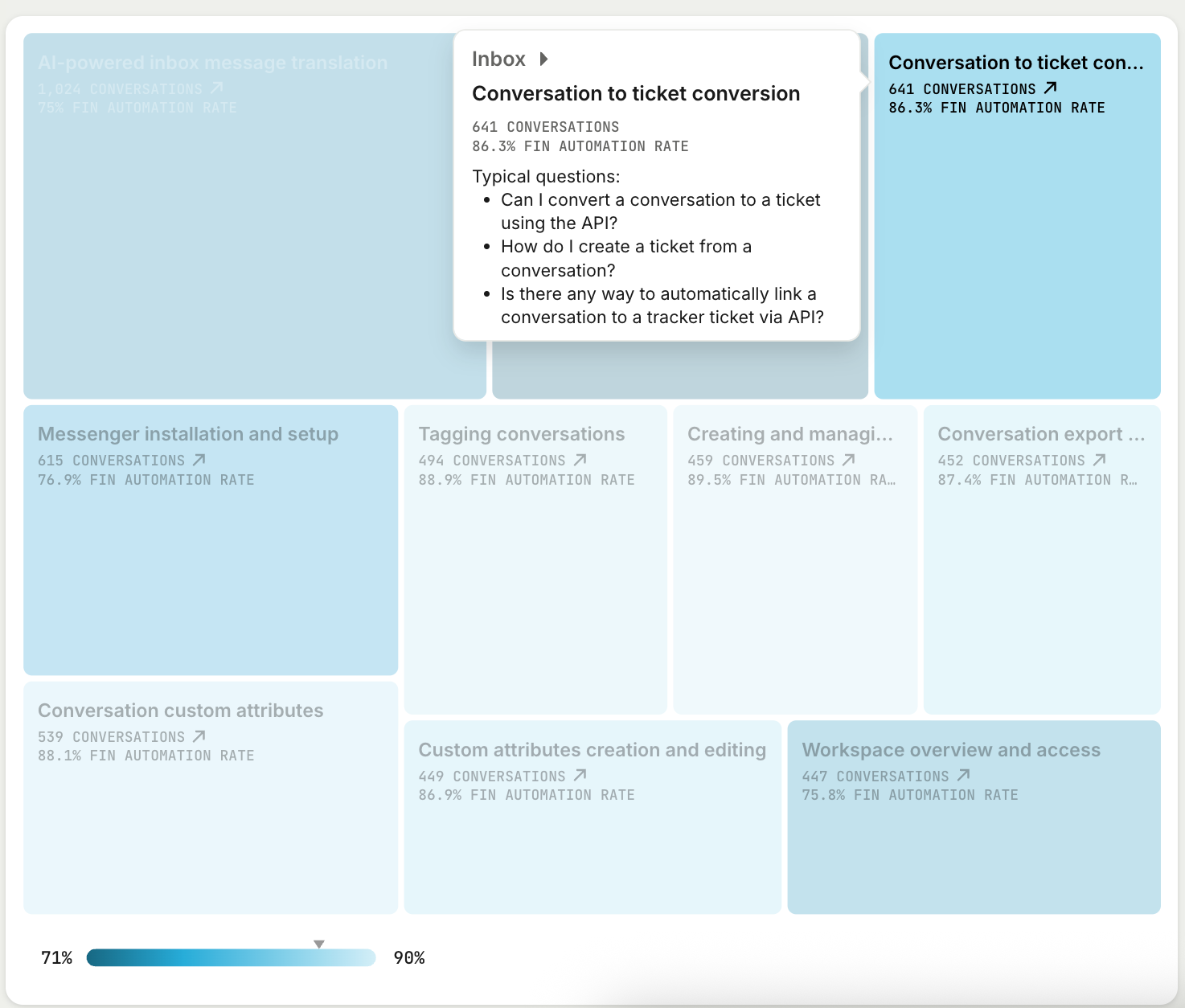
We added summaries, explanations, and key phrases and enabled customers to quickly get to the underlying conversations so they could rebuild the reasoning.
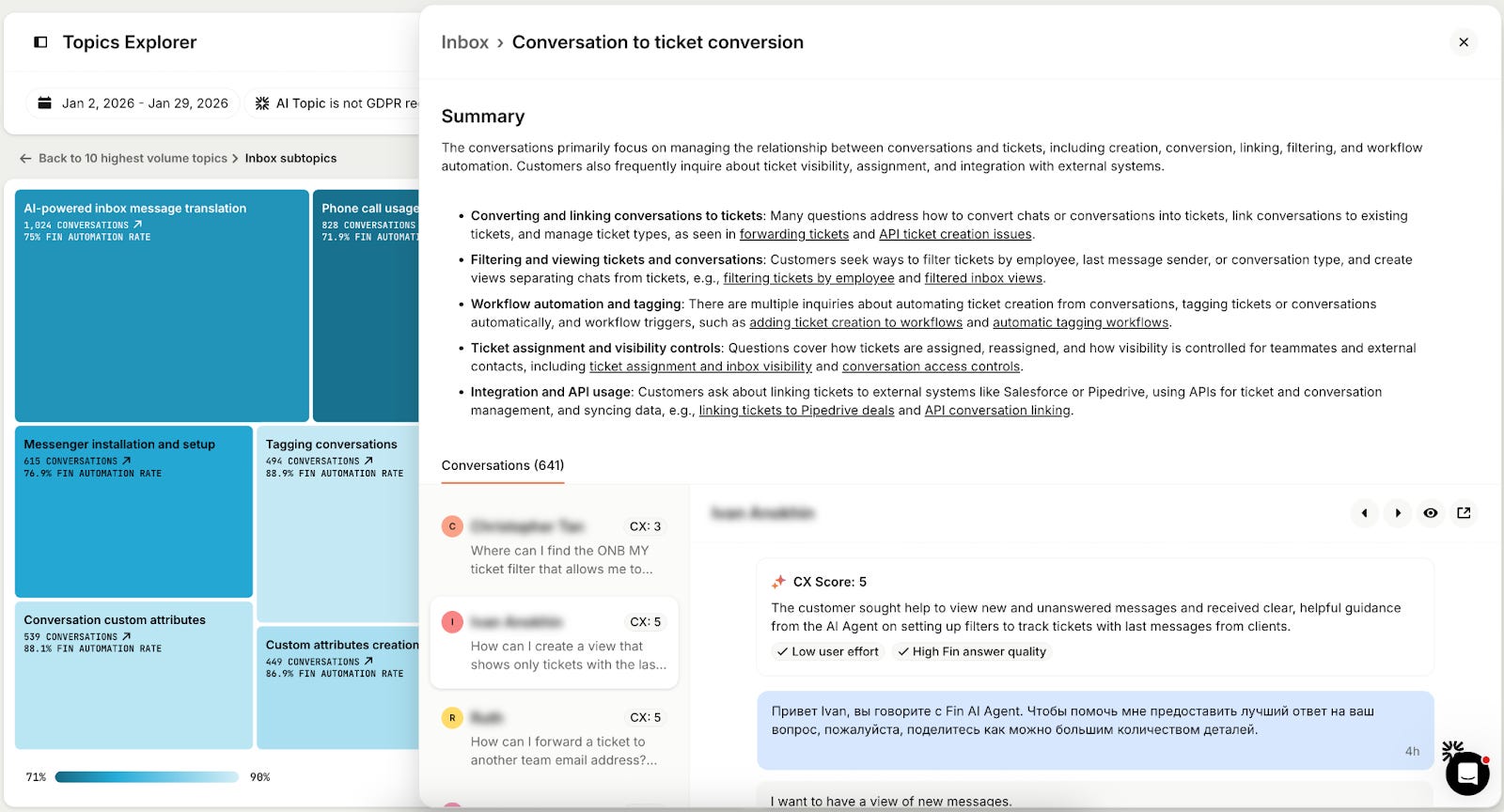
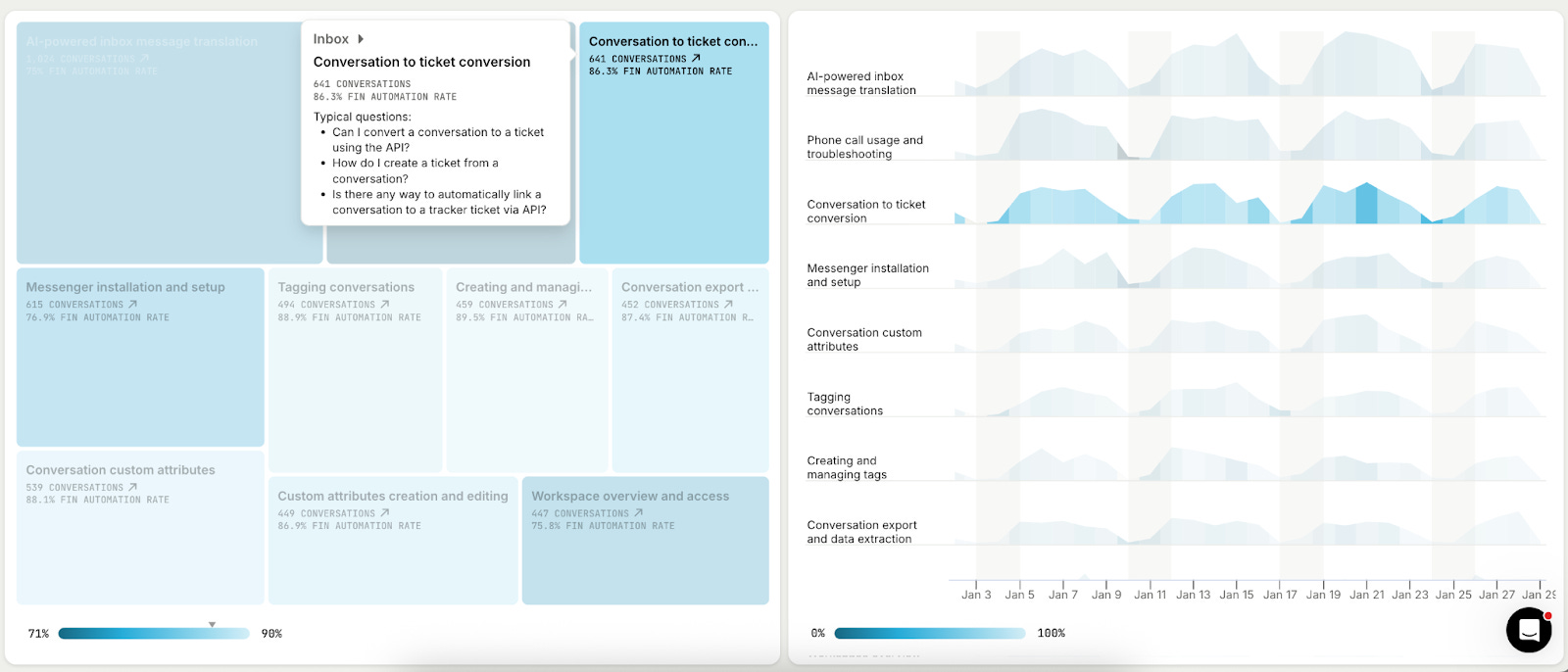
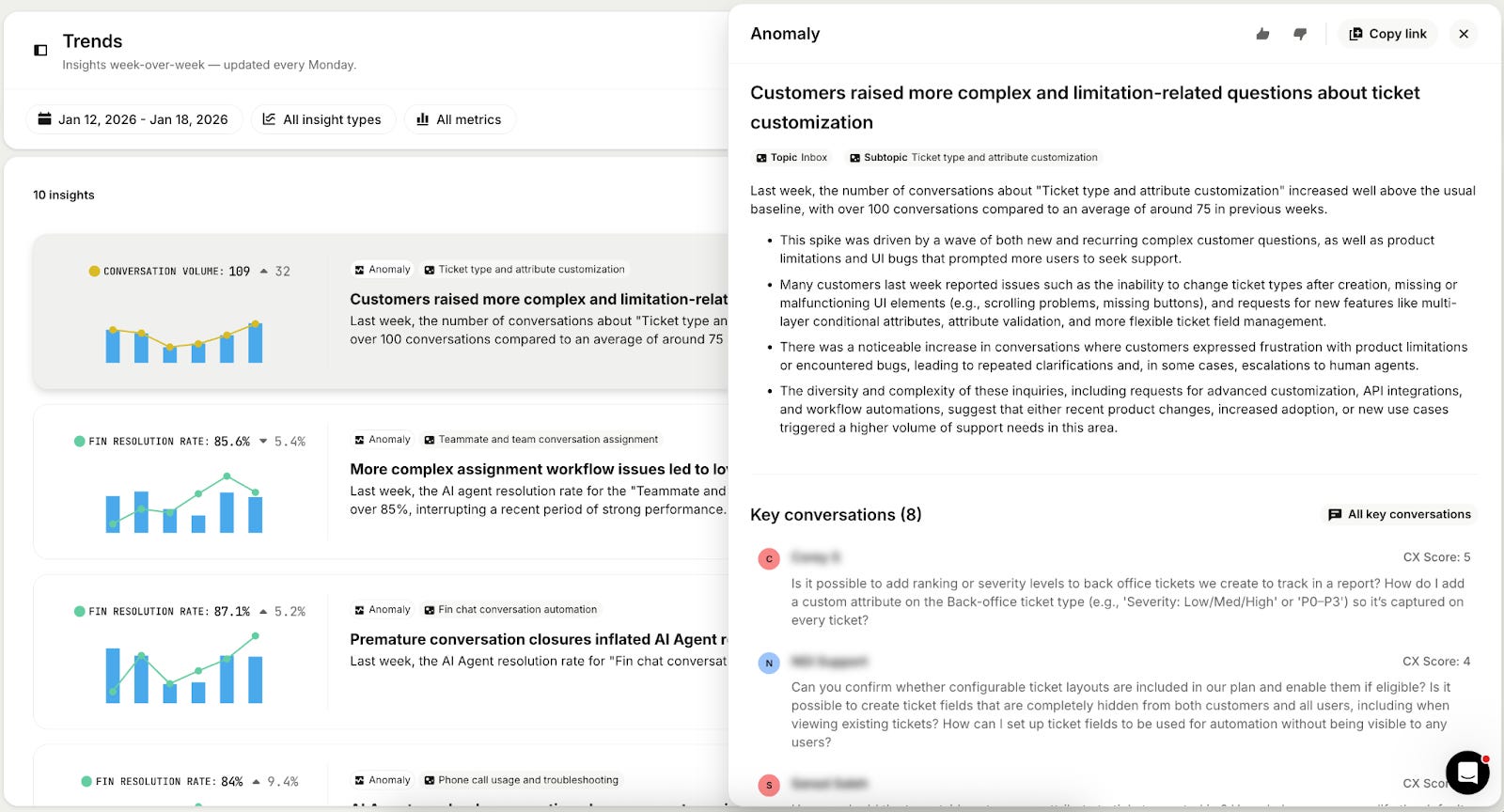
We layered in context with volume, metrics, trends and spikes to make the clusters feel actionable.
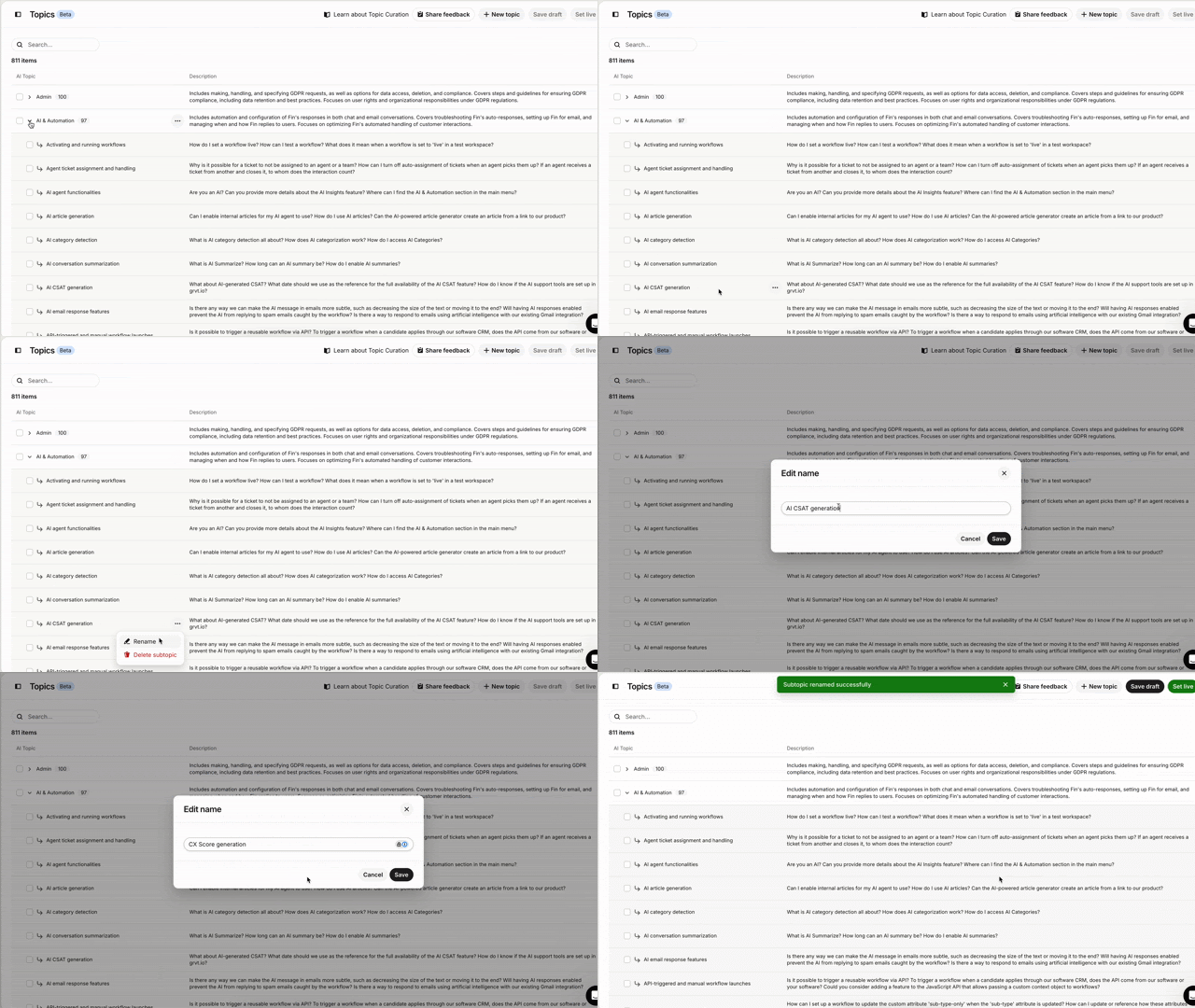
And we gave customers control: Renaming topics, merging them, shaping the system to match their mental model without forcing manual setup.
A cluster THEN became an insight. Understanding prompts action.
The throughline
Across all three lessons, the same pattern kept emerging.
AI has fundamentally changed what we can build, but it has made the how more important than ever. If we want users to embrace the scale of the black box, we have to design for clarity, control, and understanding. Because in the end, an insight is only as powerful as a user’s confidence to act on it.
